7. YOLO Face Detection Experiment
About 1 min
Routine Code
import sensor, image, time, lcd

from maix import KPU
import gc

lcd.init()                          # Initialize LCD display
sensor.reset()                      # Reset and initialize camera
sensor.set_pixformat(sensor.RGB565) # Set camera output format to RGB565
sensor.set_framesize(sensor.QVGA)   # Set camera output size to QVGA (320x240)
sensor.skip_frames(time = 1000)     # Wait for camera to stabilize
clock = time.clock()                # Create a clock object for FPS calculation

# Face detection model requires 320x256 input; initialize an image here
od_img = image.Image(size=(320,256))

anchor = (0.893, 1.463, 0.245, 0.389, 1.55, 2.58, 0.375, 0.594, 3.099, 5.038, 0.057, 0.090, 0.567, 0.904, 0.101, 0.160, 0.159, 0.255)
# Create a KPU object for face detection
kpu = KPU()
# Load model
kpu.load_kmodel("/sd/KPU/yolo_face_detect/yolo_face_detect.kmodel")
# Initialize YOLO2
kpu.init_yolo2(anchor, anchor_num=9, img_w=320, img_h=240, net_w=320 , net_h=256 ,layer_w=10 ,layer_h=8, threshold=0.7, nms_value=0.3, classes=1)

while True:
    #print("mem free:",gc.mem_free())
    clock.tick()                        # Update FPS clock
    img = sensor.snapshot()             # Capture an image
    a = od_img.draw_image(img, 0,0)     # Write img to od_img at coordinates (0,0)
    od_img.pix_to_ai()                  # Convert RGB565 image to r8g8b8 format for AI inference
    kpu.run_with_output(od_img)         # Run KPU inference on input image
    dect = kpu.regionlayer_yolo2()      # YOLO2 post-processing
    fps = clock.fps()                   # Get FPS
    # Draw face bounding boxes
    if len(dect) > 0:
        print("dect:",dect)
        for l in dect :
            a = img.draw_rectangle(l[0],l[1],l[2],l[3], color=(0, 255, 0))

    a = img.draw_string(0, 0, "%2.1ffps" %(fps), color=(0, 60, 128), scale=2.0)
    lcd.display(img)
    gc.collect()

# Deinitialize KPU object and release model memory
kpu.deinit()
Experiment Preparation
- First transfer model files to the TF card, then insert the TF card into the K210 module's TF card slot. For detailed steps, see Transfer Model Files to TF Card.
- Prepare a face image.
- Connect the K210 to your computer via USB.
- Open CanMV IDE and run the routine code above.
Experiment Results
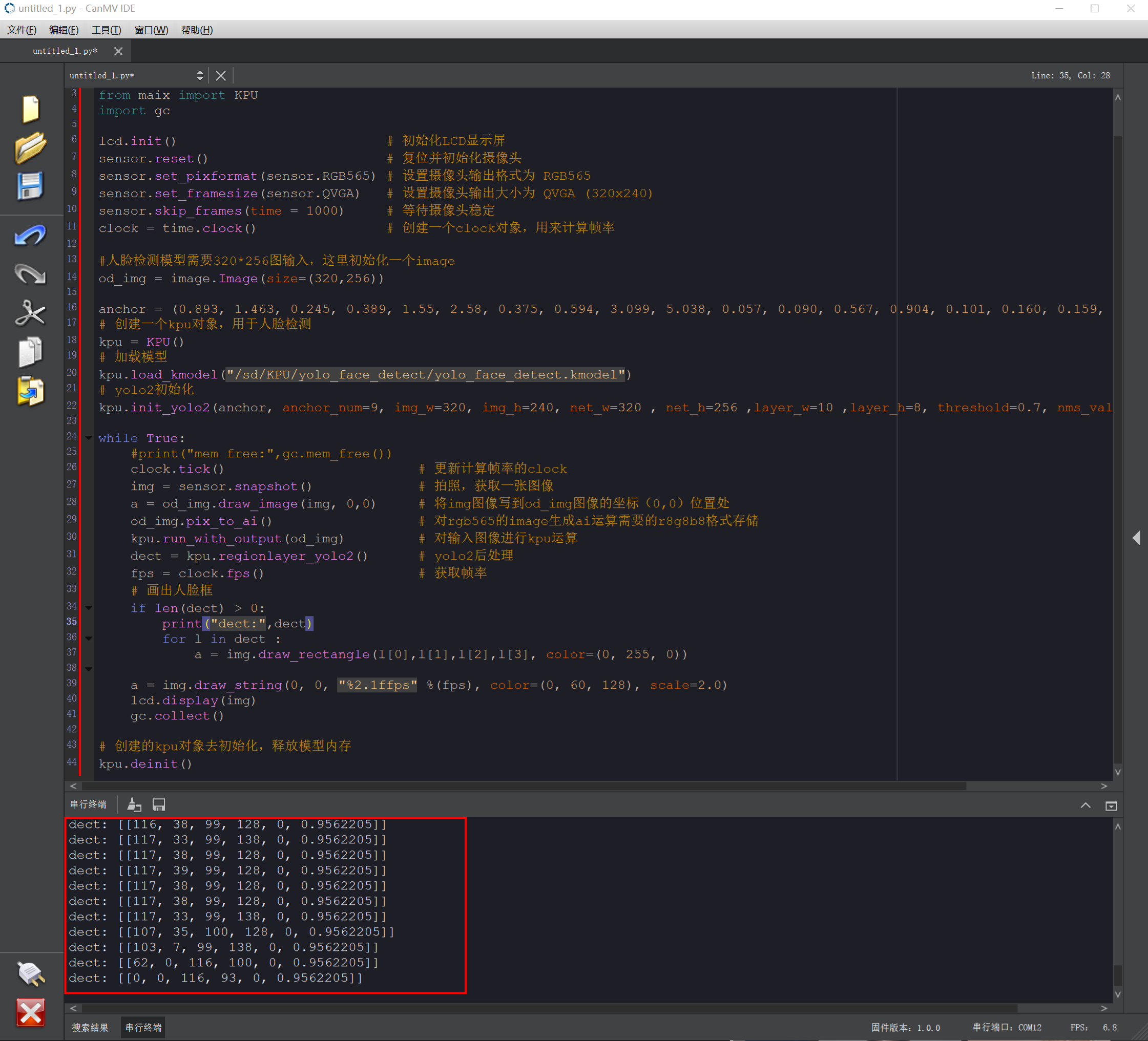
- When the K210 detects a face, it draws a green rectangle around the face and displays the current frame rate in the upper-left corner of the image.

- Face detection results are also printed in the IDE Serial Terminal.
Routine Code Explanation
Omitted. See comments in the routine code.