6. Handwritten Digit Recognition Experiment
About 2 min
Routine Code
import sensor, image, time, lcd
from maix import KPU
import gc

lcd.init()
sensor.reset()
sensor.set_pixformat(sensor.RGB565)
sensor.set_framesize(sensor.QVGA)
sensor.set_windowing((224, 224))
sensor.skip_frames(time = 100)
clock = time.clock()

kpu = KPU()
kpu.load_kmodel("/sd/KPU/mnist/uint8_mnist_cnn_model.kmodel")

while True:
    gc.collect()
    img = sensor.snapshot()
    img_mnist1=img.to_grayscale(1)
    img_mnist2=img_mnist1.resize(112,112)
    img_mnist2.invert()
    img_mnist2.strech_char(1)
    img_mnist2.pix_to_ai()

    out = kpu.run_with_output(img_mnist2, getlist=True)
    max_mnist = max(out)
    index_mnist = out.index(max_mnist)
    score = KPU.sigmoid(max_mnist)
    if index_mnist == 1:
        if score > 0.999:
            display_str = "num: %d" % index_mnist
            print(display_str, score)
            img.draw_string(4,3,display_str,color=(0,0,0),scale=2)
    elif index_mnist == 5:
        if score > 0.999:
            display_str = "num: %d" % index_mnist
            print(display_str, score)
            img.draw_string(4,3,display_str,color=(0,0,0),scale=2)
    else:
        display_str = "num: %d" % index_mnist
        print(display_str, score)
        img.draw_string(4,3,display_str,color=(0,0,0),scale=2)
    lcd.display(img)

kpu.deinit()
Experiment Preparation
- First transfer model files to the TF card, then insert the TF card into the K210 module's TF card slot. For detailed steps, see Transfer Model Files to TF Card.
- Connect the K210 to your computer via USB.
- Open CanMV IDE and run the routine code above.
Experiment Results
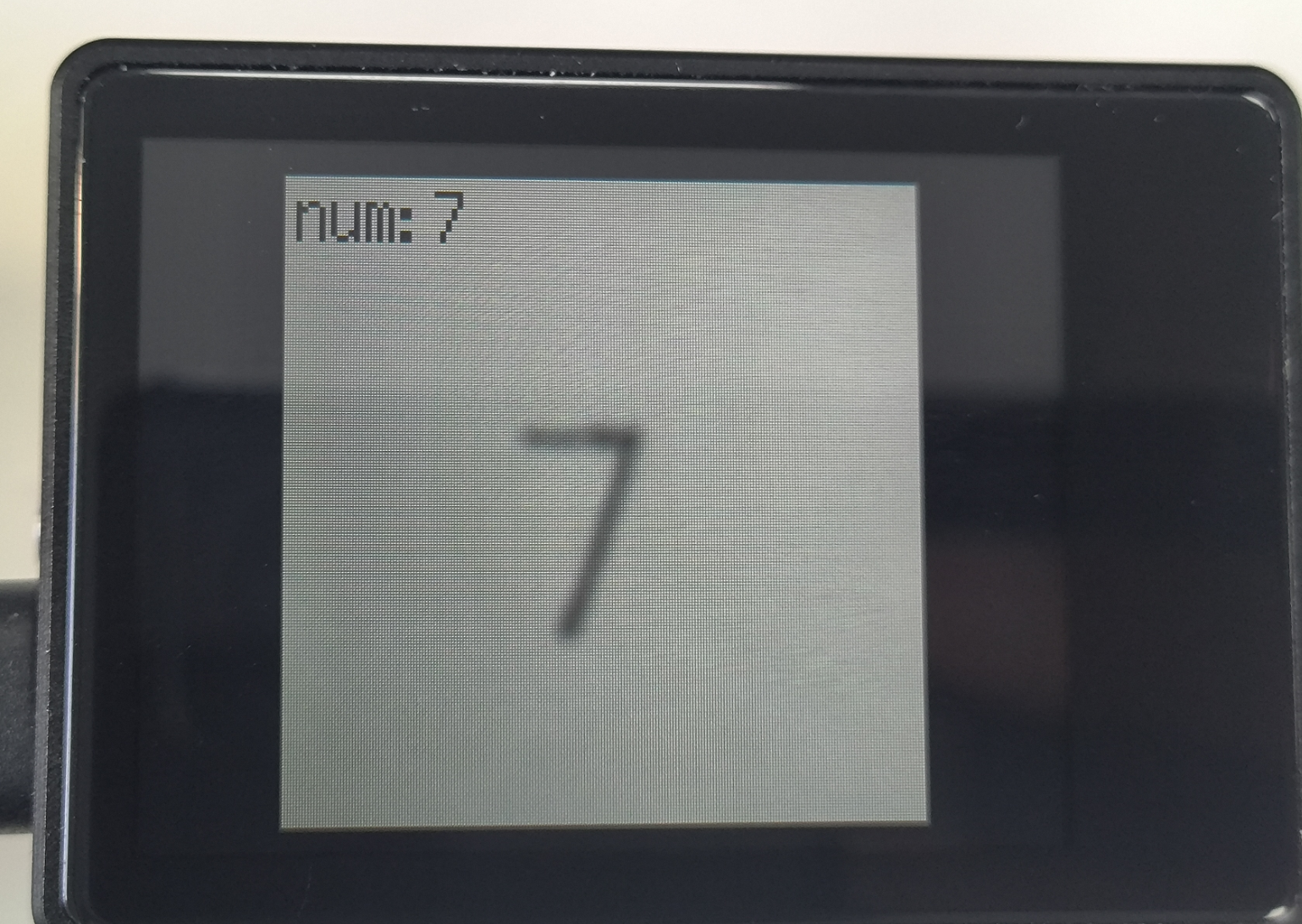
- After system initialization completes, the LCD displays the camera feed. Point the camera at handwritten or printed digits. The recognized digit is shown in the upper-left corner of the screen.
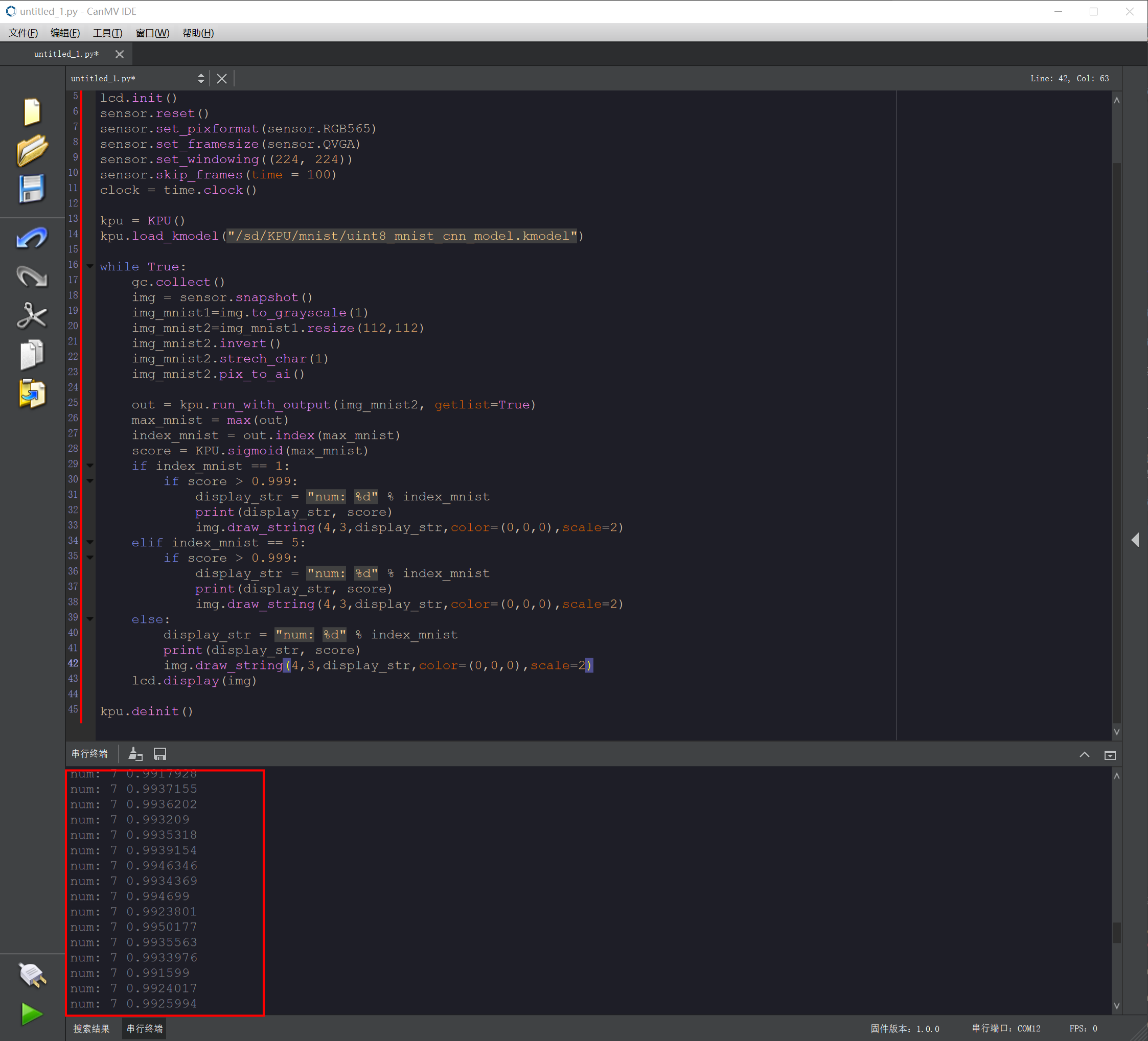
- Recognized digit information is printed in the IDE Serial Terminal.
- The K210 module can recognize both handwritten and printed digits. Because the model was trained on white background with black digits, use white-background, black-digit material. Cluttered backgrounds or digits that are too small may cause misrecognition.
Routine Code Explanation
- Import the required libraries, initialize the camera and LCD display, and load the model file
/sd/KPU/mnist/uint8_mnist_cnn_model.kmodel.
- Import the required libraries, initialize the camera and LCD display, and load the model file
kpu = KPU()
kpu.load_kmodel("/sd/KPU/mnist/uint8_mnist_cnn_model.kmodel")- Create a while loop to capture camera frames, copy a 112×112 region, apply inversion and other pixel processing, then pass the image to the KPU for inference against the model to obtain the best recognition result and score.
while True:
    gc.collect()
    img = sensor.snapshot()
    img_mnist1=img.to_grayscale(1)
    img_mnist2=img_mnist1.resize(112,112)
    img_mnist2.invert()
    img_mnist2.strech_char(1)
    img_mnist2.pix_to_ai()
    out = kpu.run_with_output(img_mnist2, getlist=True)
    max_mnist = max(out)
    index_mnist = out.index(max_mnist)
score = KPU.sigmoid(max_mnist)- Misrecognition can occur. Try to recognize digits on a white background. Filtering is applied based on test results: on an all-white background, the model may misrecognize as digit 1; on an all-black background, it may misrecognize as digit 5. Digits 1 and 5 require an additional score threshold of 0.999 before being accepted. The value 0.999 can be adjusted based on actual results. The recognized digit is displayed on screen.
if index_mnist == 1:
    if score > 0.999:
        display_str = "num: %d" % index_mnist
        print(display_str, score)
        img.draw_string(4,3,display_str,color=(0,0,0),scale=2)
elif index_mnist == 5:
    if score > 0.999:
        display_str = "num: %d" % index_mnist
        print(display_str, score)
        img.draw_string(4,3,display_str,color=(0,0,0),scale=2)
else:
    display_str = "num: %d" % index_mnist
    print(display_str, score)
    img.draw_string(4,3,display_str,color=(0,0,0),scale=2)
lcd.display(img)