8. Mask Recognition Experiment
About 2 min
Routine Code
import sensor, image, time, lcd
from maix import KPU

lcd.init()
sensor.reset()
sensor.set_pixformat(sensor.RGB565)
sensor.set_framesize(sensor.QVGA)
sensor.skip_frames(time = 1000)
clock = time.clock()

od_img = image.Image(size=(320,256), copy_to_fb=False)

anchor = (0.156250, 0.222548, 0.361328, 0.489583, 0.781250, 0.983133, 1.621094, 1.964286, 3.574219, 3.94000)
kpu = KPU()
print("ready load model")
kpu.load_kmodel("/sd/KPU/face_mask_detect/detect_5.kmodel")
kpu.init_yolo2(anchor, anchor_num=5, img_w=320, img_h=240, net_w=320 , net_h=256 ,layer_w=10 ,layer_h=8, threshold=0.7, nms_value=0.4, classes=2)

while True:
    clock.tick()
    img = sensor.snapshot()
    od_img.draw_image(img, 0,0)
    od_img.pix_to_ai()
    kpu.run_with_output(od_img)
    dect = kpu.regionlayer_yolo2()
    fps = clock.fps()
    if len(dect) > 0:
        print("dect:", dect)
        for l in dect :
            if l[4] :
                img.draw_rectangle(l[0],l[1],l[2],l[3], color=(0, 255, 0))
                img.draw_string(l[0],l[1]-24, "with mask", color=(0, 255, 0), scale=2)
            else:
                img.draw_rectangle(l[0],l[1],l[2],l[3], color=(255, 0, 0))
                img.draw_string(l[0],l[1]-24, "without mask", color=(255, 0, 0), scale=2)

    img.draw_string(0, 0, "%2.1ffps" %(fps), color=(0, 60, 128), scale=2.0)
    lcd.display(img)

kpu.deinit()
Experiment Preparation
- First transfer model files to the TF card, then insert the TF card into the K210 module's TF card slot. For detailed steps, see Transfer Model Files to TF Card.
- Prepare a face image without a mask and a face image wearing a mask.
- Connect the K210 to your computer via USB.
- Open CanMV IDE and run the routine code above.
Experiment Results
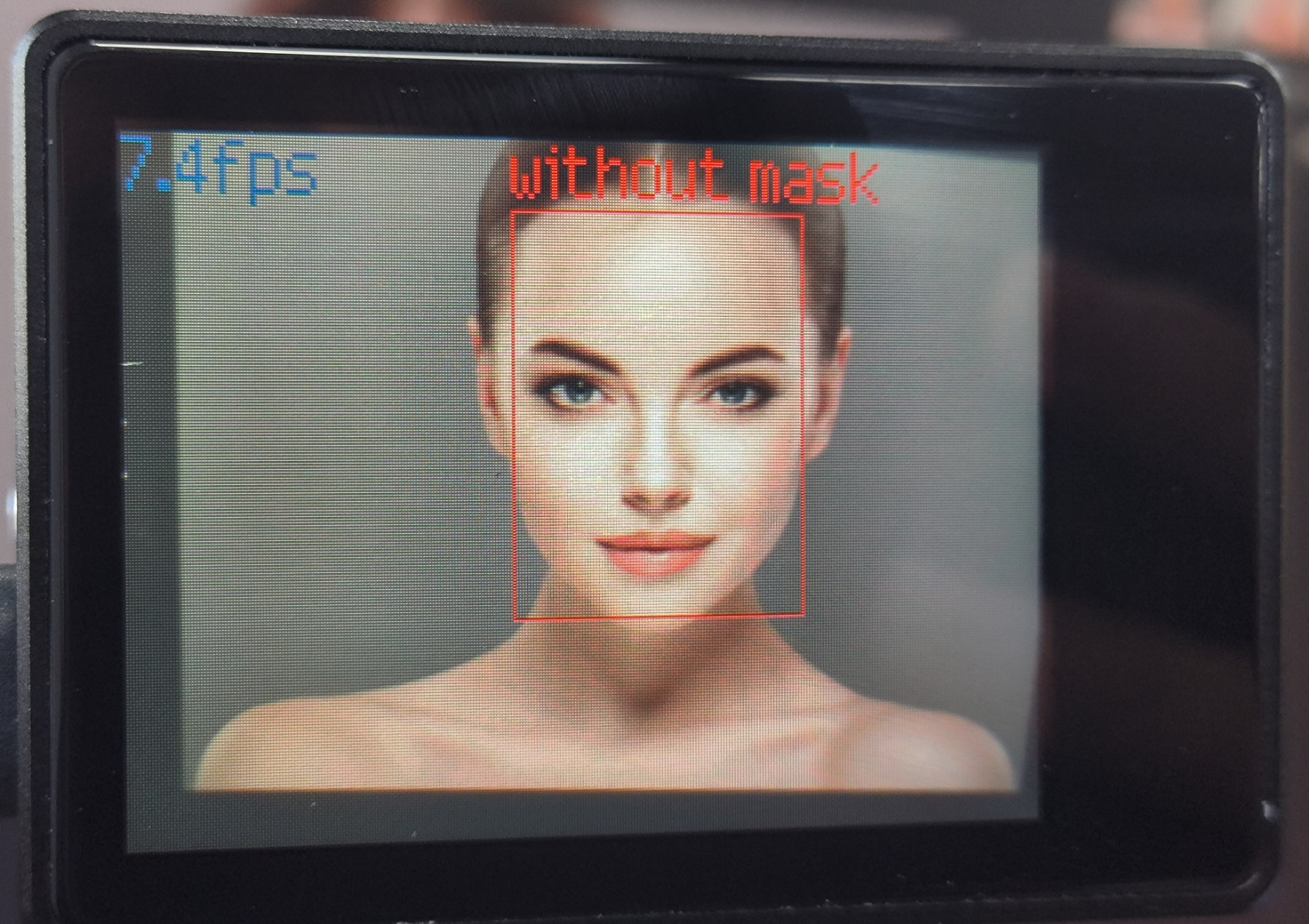
- After system initialization completes, the LCD displays the camera feed. Point the camera at a face. When no mask is worn, a red box and "without mask" are displayed.
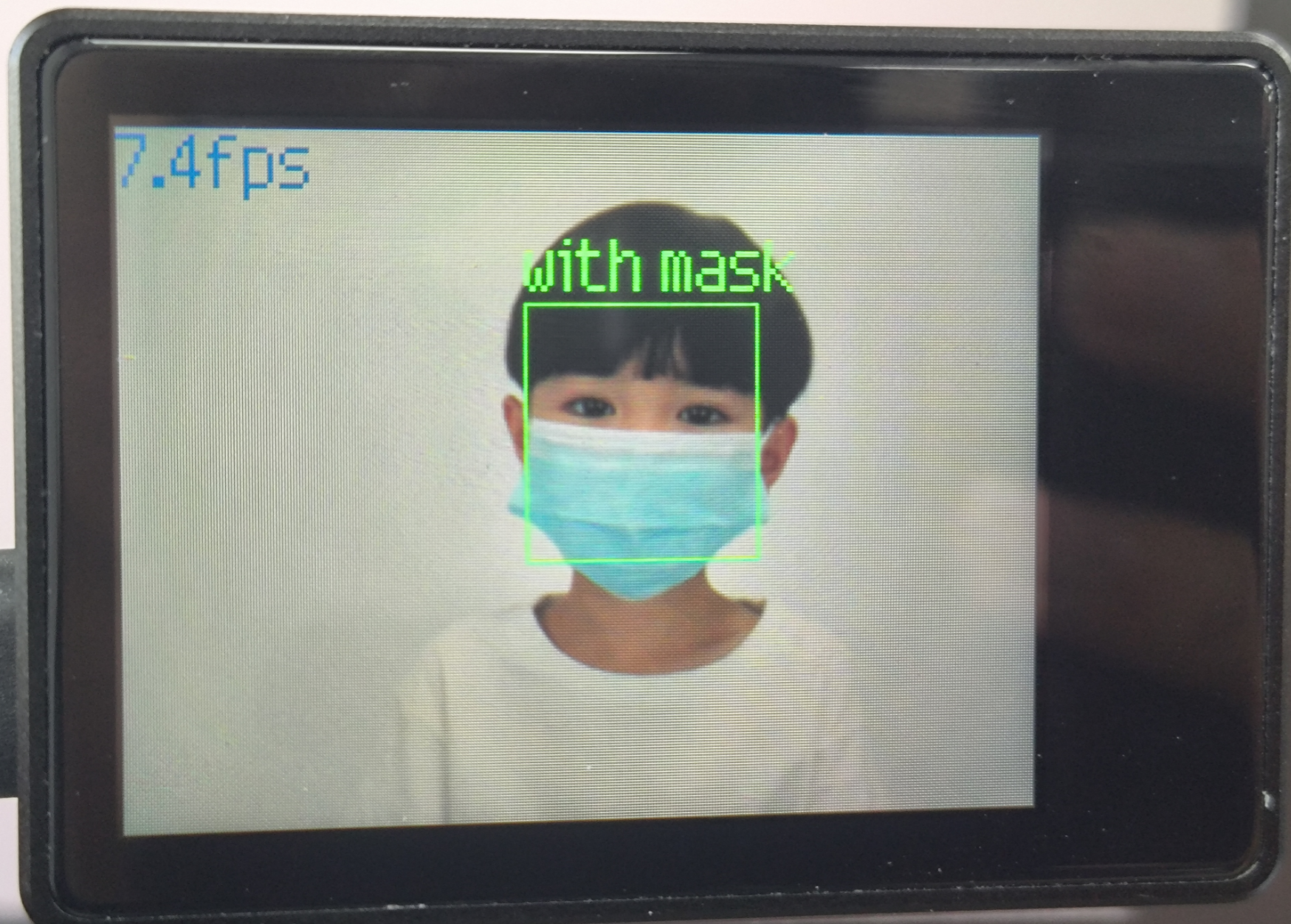
- When a mask is worn, a green box and "with mask" are displayed.
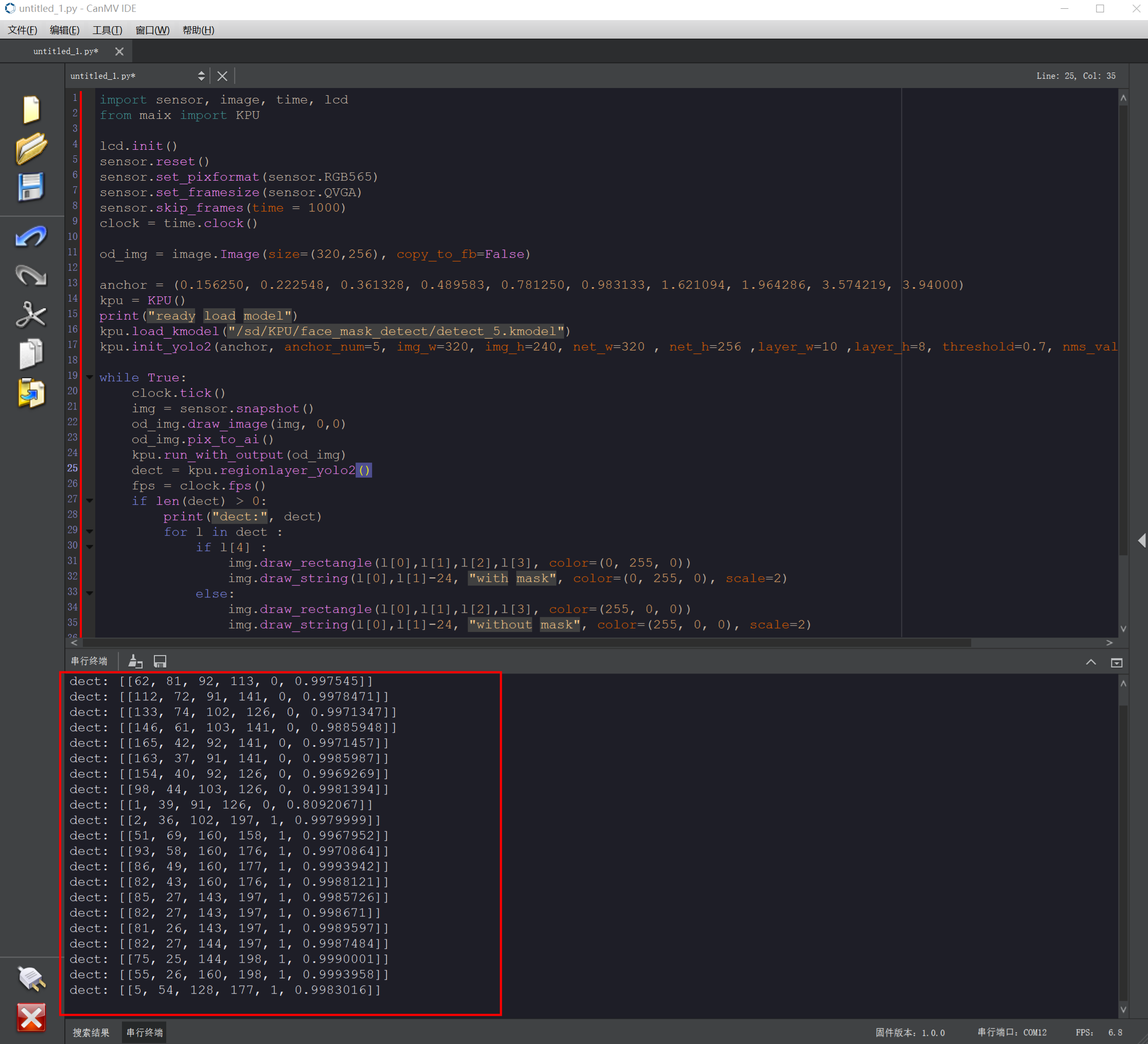
- Face-related information is also printed in the Serial Terminal at the bottom of the IDE.
- The current mask detection threshold is
threshold=0.7. Adjust this value if you need more accurate face detection.
- The current mask detection threshold is
Routine Code Explanation
- Import the required libraries and initialize the camera and LCD display.
import sensor, image, time, lcd from maix import KPU

lcd.init()
sensor.reset()
sensor.set_pixformat(sensor.RGB565)
sensor.set_framesize(sensor.QVGA)
sensor.skip_frames(time = 1000)
clock = time.clock()- Initialize KPU parameters. The KPU must load a
.kmodelfile. This experiment uses/sd/KPU/face_mask_detect/detect_5.kmodeland YOLO2 for inference.od_imgis the neural network input image at 320×256, used to store camera frames for KPU computation.
- Initialize KPU parameters. The KPU must load a
od_img = image.Image(size=(320,256), copy_to_fb=False)
anchor = (0.156250, 0.222548, 0.361328, 0.489583, 0.781250, 0.983133, 1.621094,
1.964286, 3.574219, 3.94000)
kpu = KPU()
print("ready load model")
kpu.load_kmodel("/sd/KPU/face_mask_detect/detect_5.kmodel")
kpu.init_yolo2(anchor, anchor_num=5, img_w=320, img_h=240, net_w=320 , net_h=256
,layer_w=10 ,layer_h=8, threshold=0.7, nms_value=0.4, classes=2)- Create a while loop to pass images to the KPU for computation. Using the YOLO2 neural network, faces wearing masks are outlined in green with "with mask"; faces without masks are outlined in red with "without mask".
while True:
    clock.tick()
    img = sensor.snapshot()
    od_img.draw_image(img, 0,0)
    od_img.pix_to_ai()
    kpu.run_with_output(od_img)
    dect = kpu.regionlayer_yolo2()
    fps = clock.fps()
    if len(dect) > 0:
        print("dect:", dect)
        for l in dect :
            if l[4] :
                img.draw_rectangle(l[0],l[1],l[2],l[3], color=(0, 255, 0))
                img.draw_string(l[0],l[1]-24, "with mask", color=(0, 255, 0), scale=2)
            else:
                img.draw_rectangle(l[0],l[1],l[2],l[3], color=(255, 0, 0))
                img.draw_string(l[0],l[1]-24, "without mask", color=(255, 0, 0), scale=2)

    img.draw_string(0, 0, "%2.1ffps" %(fps), color=(0, 60, 128), scale=2.0)
    lcd.display(img)

kpu.deinit()