5. AprilTag Recognition Experiment
About 2 min
Routine Code
import sensor, image, time, math, lcd

lcd.init()
sensor.reset()
sensor.set_pixformat(sensor.RGB565)
sensor.set_framesize(sensor.QQVGA)
#sensor.set_framesize(sensor.QVGA)
sensor.skip_frames(time = 100)
sensor.set_auto_gain(False)
sensor.set_auto_whitebal(False)
clock = time.clock()

tag_families = 0
tag_families |= image.TAG16H5   # comment out to disable this family
tag_families |= image.TAG25H7   # comment out to disable this family
tag_families |= image.TAG25H9   # comment out to disable this family
tag_families |= image.TAG36H10  # comment out to disable this family
tag_families |= image.TAG36H11  # comment out to disable this family (default family)
tag_families |= image.ARTOOLKIT # comment out to disable this family

def family_name(tag):
    if(tag.family() == image.TAG16H5):
        return "TAG16H5"
    if(tag.family() == image.TAG25H7):
        return "TAG25H7"
    if(tag.family() == image.TAG25H9):
        return "TAG25H9"
    if(tag.family() == image.TAG36H10):
        return "TAG36H10"
    if(tag.family() == image.TAG36H11):
        return "TAG36H11"
    if(tag.family() == image.ARTOOLKIT):
        return "ARTOOLKIT"

while(True):
    clock.tick()
    img = sensor.snapshot()
    #img = img.resize(280, 195)
    #img = img.resize(292, 210)
    for tag in img.find_apriltags(families=tag_families):
        img.draw_rectangle(tag.rect(), color = (255, 0, 0))
        img.draw_cross(tag.cx(), tag.cy(), color = (0, 255, 0))
        print_args = (family_name(tag), tag.id(), (180 * tag.rotation()) / math.pi)
        print("Tag Family %s, Tag ID %d, rotation %f (degrees)" % print_args)
    lcd.display(img)
    #print(clock.fps())
Experiment Preparation
- Connect the K210 to your computer via USB.
- Prepare an AprilTag marker.
- Open CanMV IDE and run the routine code above.
Experiment Results
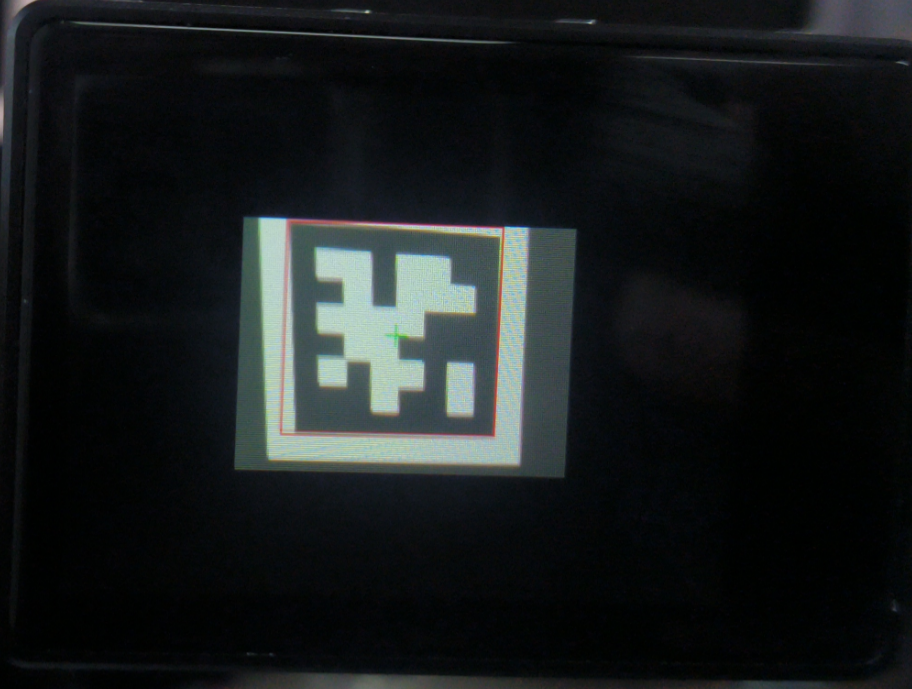
- After system initialization completes, the LCD displays the camera feed. Point the camera at an AprilTag. Supported tag families include TAG16H5, TAG25H7, TAG25H9, TAG36H10, TAG36H11, and ARTOOLKIT. Because the K210 has limited processing power, AprilTag detection requires substantial storage and compute, so full-screen resolution is not currently supported. Detected tags are outlined with a box.
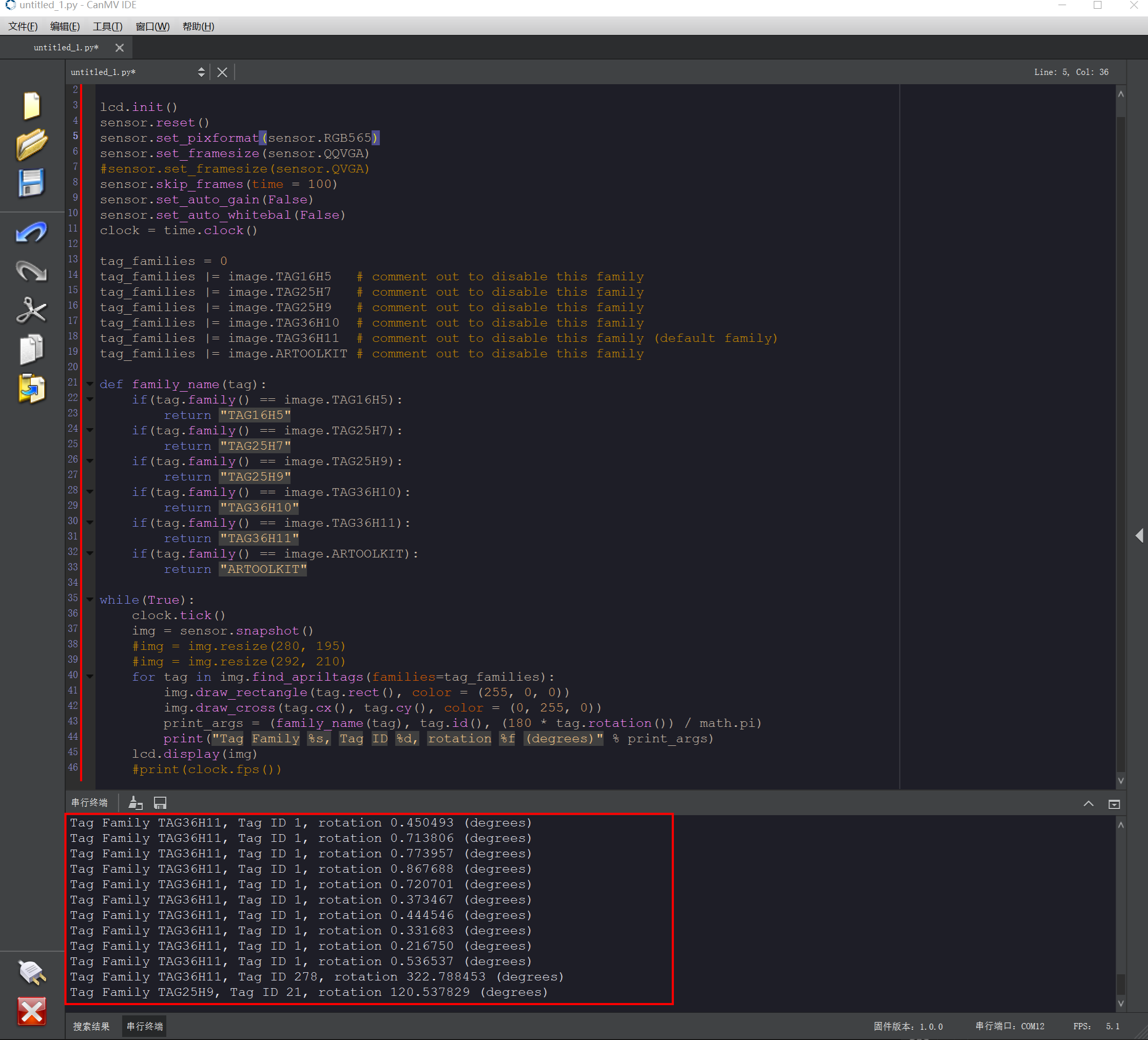
- Tag information is also printed in the Serial Terminal at the bottom of the IDE.
Routine Code Explanation
- Import the required libraries and initialize the camera and LCD display.
import sensor, image, time, math, lcd
lcd.init()
sensor.reset()
sensor.set_pixformat(sensor.RGB565)
sensor.set_framesize(sensor.QQVGA)
sensor.skip_frames(time = 100)
sensor.set_auto_gain(False)
sensor.set_auto_whitebal(False)
clock = time.clock()- Set the AprilTag families to detect. Comment out any family you do not need. TAG36H11 is enabled by default.
tag_families = 0
tag_families |= image.TAG16H5 # comment out to disable this family
tag_families |= image.TAG25H7 # comment out to disable this family
tag_families |= image.TAG25H9 # comment out to disable this family
tag_families |= image.TAG36H10 # comment out to disable this family
tag_families |= image.TAG36H11 # comment out to disable this family (default
family)
tag_families |= image.ARTOOLKIT # comment out to disable this family- Define a function to convert the tag family to a string.
def family_name(tag):
    if(tag.family() == image.TAG16H5):
        return "TAG16H5"
    if(tag.family() == image.TAG25H7):
        return "TAG25H7"
    if(tag.family() == image.TAG25H9):
        return "TAG25H9"
    if(tag.family() == image.TAG36H10):
        return "TAG36H10"
    if(tag.family() == image.TAG36H11):
        return "TAG36H11"
    if(tag.family() == image.ARTOOLKIT):
return "ARTOOLKIT"- Create a while loop that calls
find_apriltagsto locate tags in the image, draws boxes around them, and prints related information.
- Create a while loop that calls
while(True):
    clock.tick()
    img = sensor.snapshot()
    #img = img.resize(280, 195)
    #img = img.resize(292, 210)
    for tag in img.find_apriltags(families=tag_families):
        img.draw_rectangle(tag.rect(), color = (255, 0, 0))
        img.draw_cross(tag.cx(), tag.cy(), color = (0, 255, 0))
        print_args = (family_name(tag), tag.id(), (180 * tag.rotation()) / math.pi)
        print("Tag Family %s, Tag ID %d, rotation %f (degrees)" % print_args)
    lcd.display(img)
    #print(clock.fps())