5. Serial Communication Experiment
About 2 min
Routine Code
from fpioa_manager import fm
from machine import UART
import time

# binding UART2 IO:7->RX, 8->TX
fm.register(7, fm.fpioa.UART2_RX)
fm.register(8, fm.fpioa.UART2_TX)

yz_uart = UART(UART.UART2, 115200, 8, 0, 0, timeout=1000, read_buf_len=4096)

write_bytes = b'hello'
last_time = time.ticks_ms()

try:
    while True:
        # send data per 500ms
        if time.ticks_ms() - last_time > 500:
            last_time = time.ticks_ms()
            yz_uart.write(write_bytes)
        # read and print data
        if yz_uart.any():
            read_data = yz_uart.read()
            if read_data:
                print("read_data = ", read_data)
except:
    pass

yz_uart.deinit()
del yz_uart
Experiment Preparation
- Prepare a USB-to-serial adapter and 4-pin jumper wires.
- Connect the K210 to the serial adapter with 4-pin jumper wires as shown below:

- Connect the serial adapter and K210 to your computer via USB.
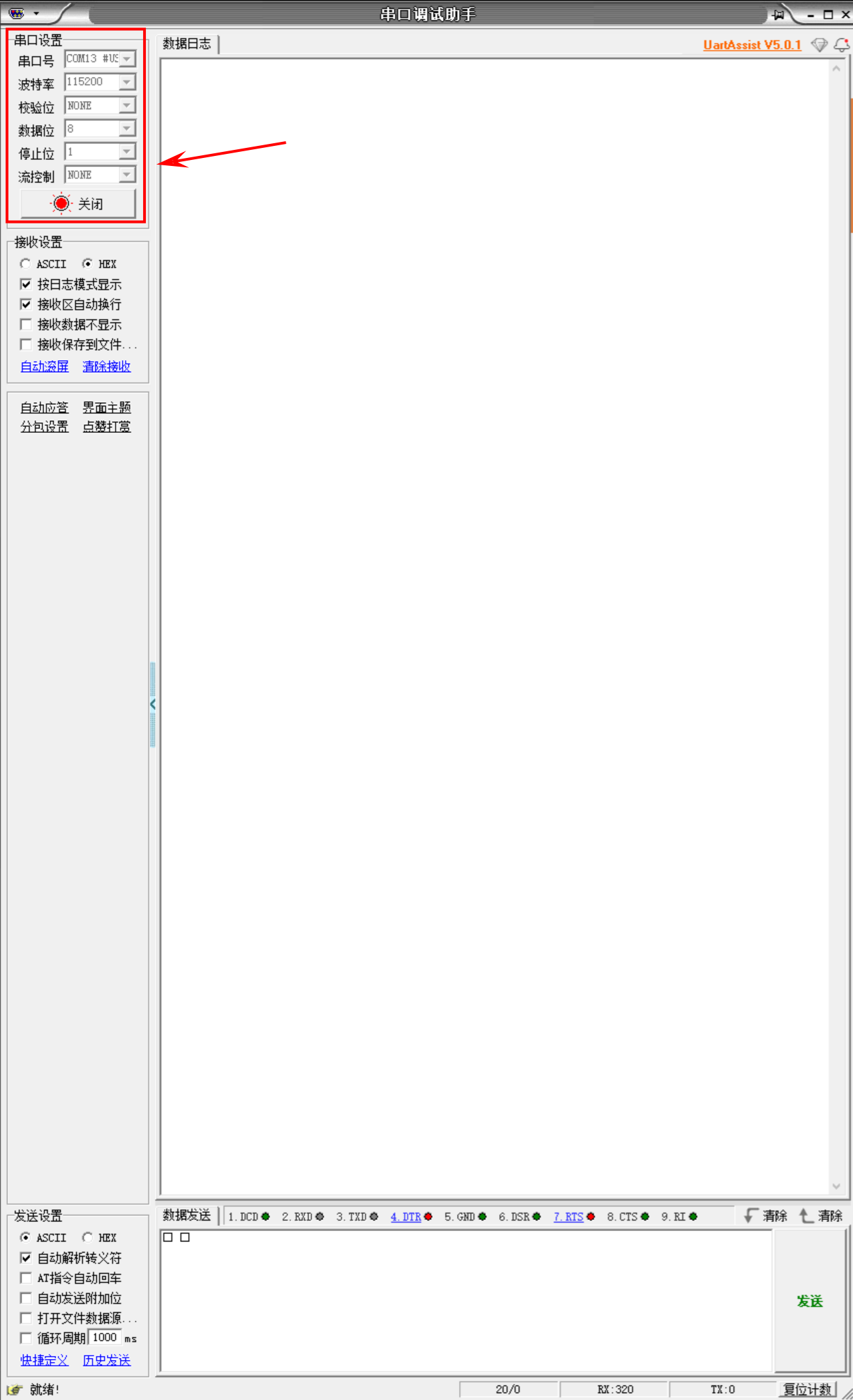
- Open UartAssist. In the serial settings at the top-left, configure the parameters and select the serial adapter's port (check Device Manager for the port number), then click Open. After UartAssist connects to the serial adapter:
- Open CanMV IDE, connect to the K210, and run the routine code above.
- Check the data log in UartAssist.
Experiment Results
- After running, the K210 performs simple bidirectional UART2 communication: it sends the byte string
b'hello'every 500 ms and continuously checks the receive buffer, reading and printing any received data. The UartAssist data log displays messages sent by the K210.
- After running, the K210 performs simple bidirectional UART2 communication: it sends the byte string

- The IDE Serial Terminal prints data received by the K210 from the serial adapter.

Routine Code Explanation
- Import the modules required to run the routine.
fmfromfpioa_managerconfigures chip pin functions.UARTfrommachineimplements serial communication.
- Import the modules required to run the routine.
from fpioa_manager import fm
from machine import UART
import time- Use
fm.registerto configure pin 7 as UART2 RX and pin 8 as UART2 TX.
- Use
fm.register(7, fm.fpioa.UART2_RX)
fm.register(8, fm.fpioa.UART2_TX)- Create a UART object named
yz_uart.UART.UART2: use UART2.115200: baud rate 115200.8: 8 data bits.0: no parity bit.timeout=1000: read timeout 1000 ms.read_buf_len=4096: receive buffer length 4096 bytes.
- Create a UART object named
yz_uart = UART(UART.UART2, 115200, 8, 0, 0, timeout=1000, read_buf_len=4096)- Define the byte data to send as
b'hello'and record the initial timestamp inlast_time.
- Define the byte data to send as
write_bytes = b'hello'
last_time = time.ticks_ms()- Enter an infinite loop and ignore any exceptions during execution.
try:
    while True:

except:
pass- Send data every 500 ms. When the interval exceeds 500 ms, update the timestamp and send
write_bytesvia UART.
- Send data every 500 ms. When the interval exceeds 500 ms, update the timestamp and send
if time.ticks_ms() - last_time > 500:
    last_time = time.ticks_ms()
yz_uart.write(write_bytes)- Read and print received data. Check if the UART receive buffer has data; if so, read and print it.
if yz_uart.any():
    read_data = yz_uart.read()
    if read_data:  # If valid data was read
print("read_data = ", read_data)- Call
yz_uart.deinit()to deinitialize the UART and release resources, thendel yz_uartto clean up memory.
- Call
yz_uart.deinit()
del yz_uart