2. Button Experiment
About 1 min
Routine Code
from fpioa_manager import fm
import time

fm.register(11, fm.fpioa.GPIOHS11, force=True)
fm.register(12, fm.fpioa.GPIOHS12, force=True)
fm.register(13, fm.fpioa.GPIOHS13, force=True)
fm.register(16, fm.fpioa.GPIOHS16, force=True)

key1 = GPIO(GPIO.GPIOHS11, GPIO.IN)
key2 = GPIO(GPIO.GPIOHS12, GPIO.IN)
key3 = GPIO(GPIO.GPIOHS13, GPIO.IN)
key4 = GPIO(GPIO.GPIOHS16, GPIO.IN)

while True:
    if not key1.value():
        print("Button 1 pressed")
        time.sleep_ms(500)
    if not key2.value():
        print("Button 2 pressed")
        time.sleep_ms(500)
    if not key3.value():
        print("Button 3 pressed")
        time.sleep_ms(500)
    if not key4.value():
        print("Button 4 pressed")
        time.sleep_ms(500)
Experiment Preparation
- Connect the K210 to your computer via USB.
- Open CanMV IDE and run the routine code above.
Experiment Results
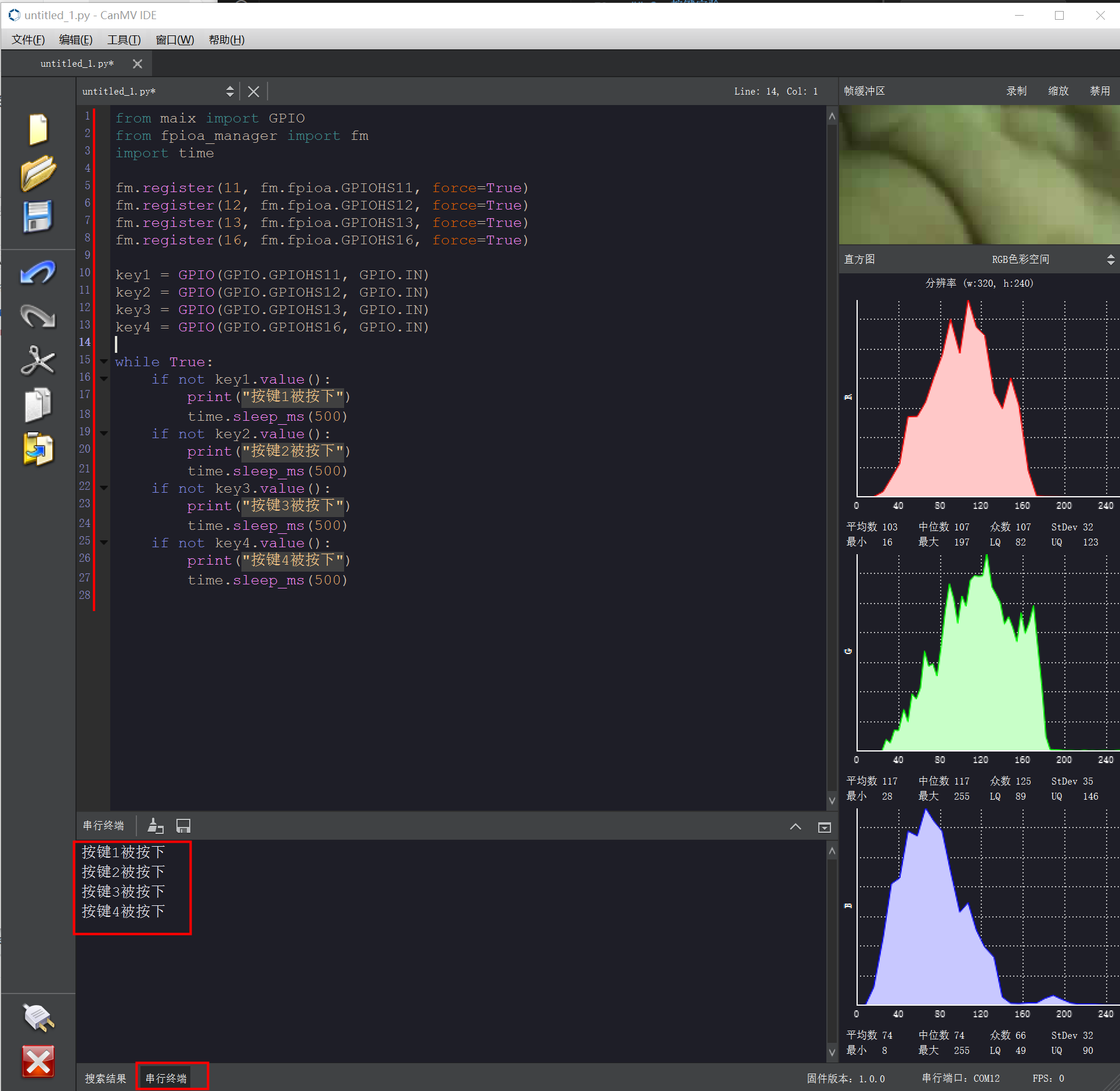
- After running, the K210 continuously monitors the four buttons on top. When a button is pressed, the Serial Terminal outputs "Button X pressed".
Routine Code Explanation
- Import the modules required to run the routine.
from maix import GPIO
from fpioa_manager import fm
import time- Use the
fmobject to configure chip pins 11, 12, 13, and 16, mapping them to the corresponding GPIOHS modules with forced registration so the configuration is applied as intended for subsequent interaction with external devices.
- Use the
fm.register(11, fm.fpioa.GPIOHS11, force=True)
fm.register(12, fm.fpioa.GPIOHS12, force=True)
fm.register(13, fm.fpioa.GPIOHS13, force=True)
fm.register(16, fm.fpioa.GPIOHS16, force=True)- Create four GPIO objects (
key1,key2,key3,key4) corresponding to GPIOHS11, GPIOHS12, GPIOHS13, and GPIOHS16, all configured as inputs to detect pin state changes from external devices such as buttons.
- Create four GPIO objects (
key1 = GPIO(GPIO.GPIOHS11, GPIO.IN)
key2 = GPIO(GPIO.GPIOHS12, GPIO.IN)
key3 = GPIO(GPIO.GPIOHS13, GPIO.IN)
key4 = GPIO(GPIO.GPIOHS16, GPIO.IN)- Enter an infinite loop.
while True:- Using button 1 detection as an example: when the pin associated with
key1reads low (button 1 pressed), print "Button 1 pressed" to the Serial Terminal and pause briefly to provide appropriate timing and reduce false triggers from button bounce.
- Using button 1 detection as an example: when the pin associated with
if not key1.value():
    print("Button 1 pressed")
    time.sleep_ms(500)